Conta le calorie con una foto
PhotoKCal è un'app Android per tenere il diario di quello che mangi: fotografi il piatto, racconti la giornata a voce o per iscritto, scansioni il codice a barre o scrivi a mano, e vedi calorie e macro della giornata rispetto ai tuoi obiettivi. Gratis, senza account e senza pubblicità.
Count calories with a photo
PhotoKCal is an Android app to keep a diary of what you eat: take a picture of the dish, tell it about your day by voice or text, scan the barcode or type it in, and see the calories and macros of the day against your goals. Free, with no account and no ads.
Android 8.0 o successivo.Android 8.0 or later.
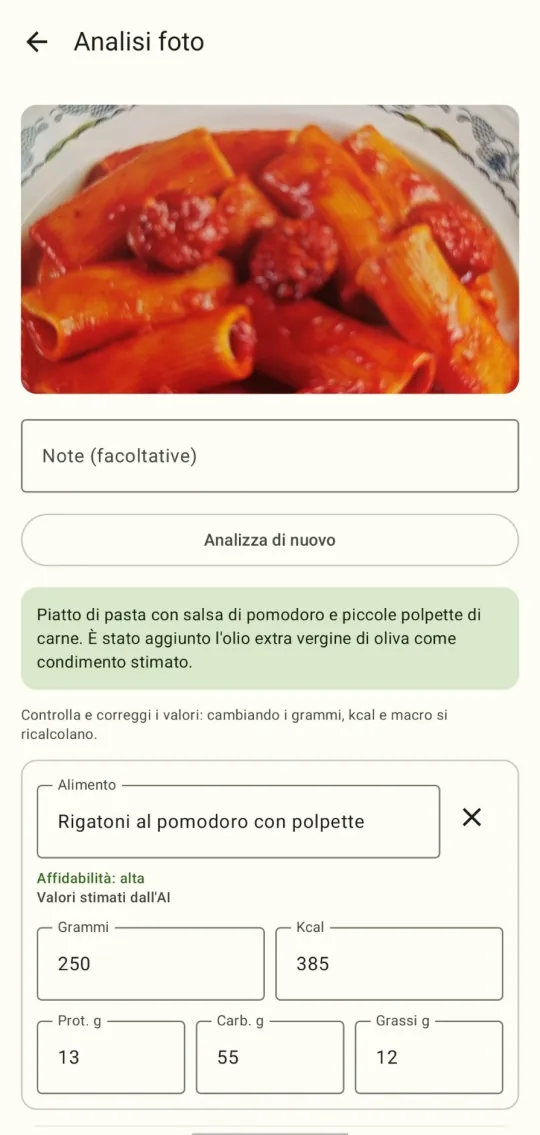
Foto del pasto
Scatti una foto e l'intelligenza artificiale che scegli (Gemini, OpenAI, Claude o un servizio compatibile) riconosce gli alimenti e ne stima i grammi. Prima di salvare rivedi ogni voce e correggi nomi e quantità. Con le tabelle CREA attive, calorie e macro arrivano dalle tabelle ufficiali italiane di composizione degli alimenti invece che dalla stima dell'AI.
Serve la chiave API del servizio scelto, da incollare nelle impostazioni: quella di Gemini si crea gratis su Google AI Studio. Resta solo sul tuo telefono.
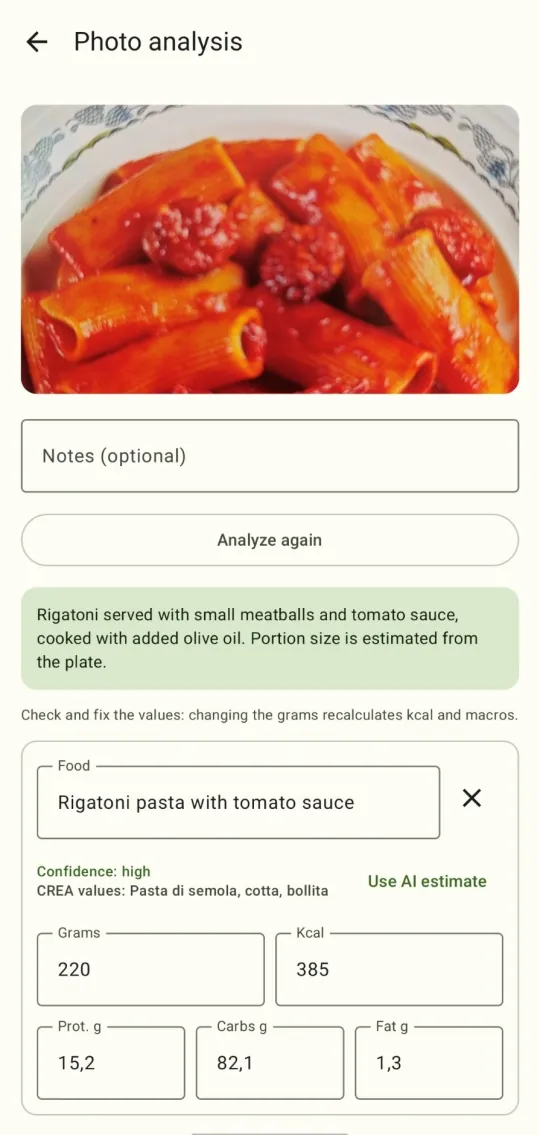
Meal photo
Take a photo and the AI you choose (Gemini, OpenAI, Claude or a compatible service) recognises the foods and estimates their grams. You review every item and fix names and amounts before saving. With the CREA tables on, calories and macros come from the official Italian food composition tables instead of the AI estimate.
It needs an API key for the chosen service, pasted into the settings: a Gemini key is free on Google AI Studio. It stays on your phone only.
Descrivi i pasti
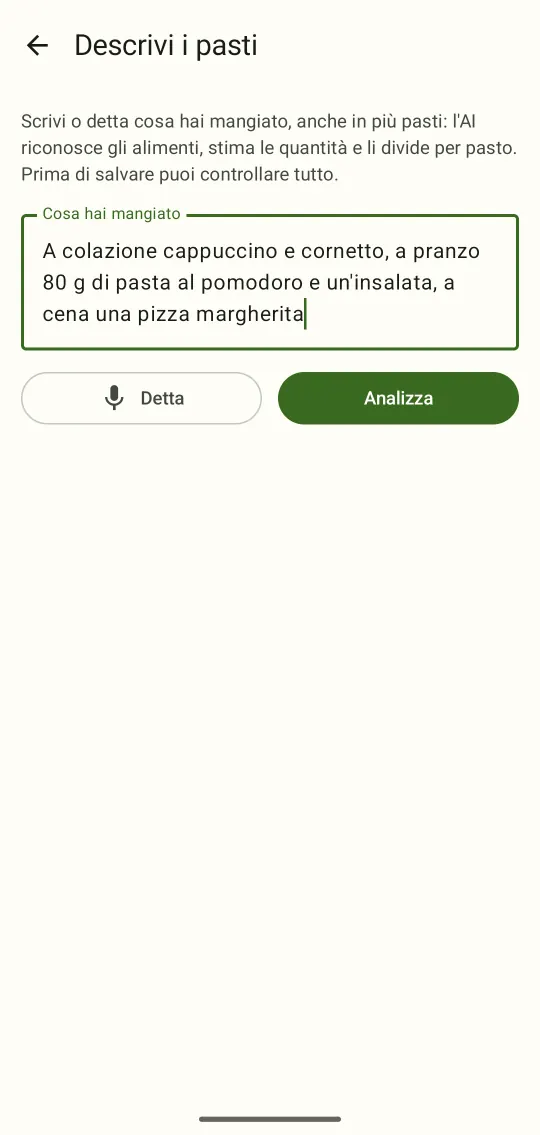
Scrivi o detta col microfono cosa hai mangiato, anche tutta la giornata: "a colazione cappuccino e cornetto, a pranzo 80 g di pasta al pomodoro e un'insalata, a cena una pizza". L'AI riconosce gli alimenti, stima le quantità che non dici e li divide per pasto. Prima di salvare rivedi tutto, sposti un alimento in un altro pasto o lo correggi, e salvi tutto insieme. Dal + di un pasto la descrizione va tutta in quel pasto.
La voce usa il riconoscimento vocale del telefono: il testo compare nel campo e puoi correggerlo prima di mandarlo all'AI.
Describe your meals
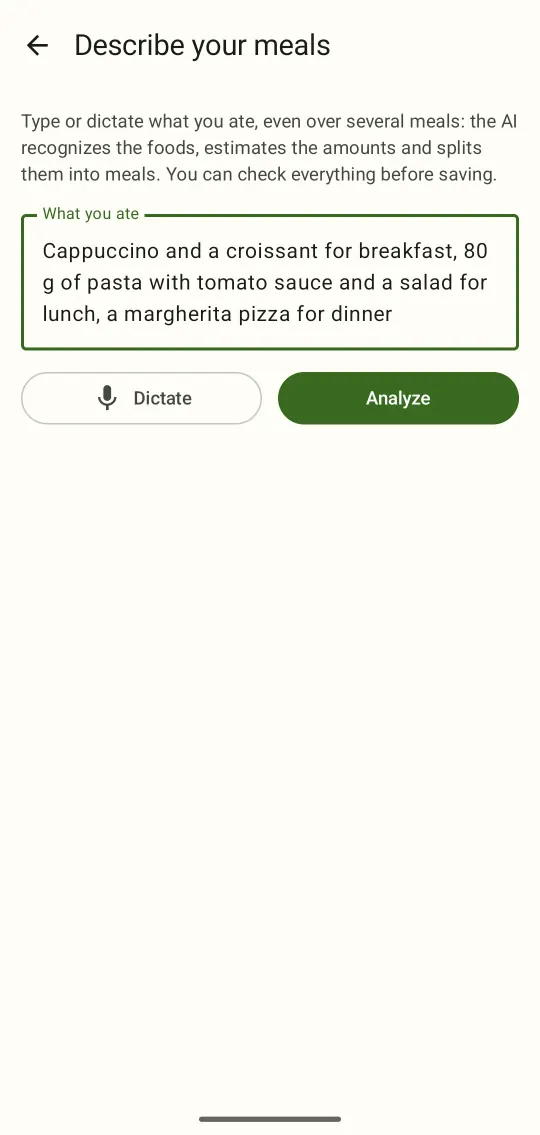
Type or dictate what you ate, even the whole day: "cappuccino and a croissant for breakfast, 80 g of pasta with tomato sauce and a salad for lunch, a pizza for dinner". The AI recognises the foods, estimates the amounts you don't say and splits them into meals. Before saving you review everything, move a food to another meal or fix it, and save them all at once. From the + of a meal, the whole description goes to that meal.
Voice uses the phone's speech recognition: the text appears in the field and you can fix it before sending it to the AI.
Scegli l'AI
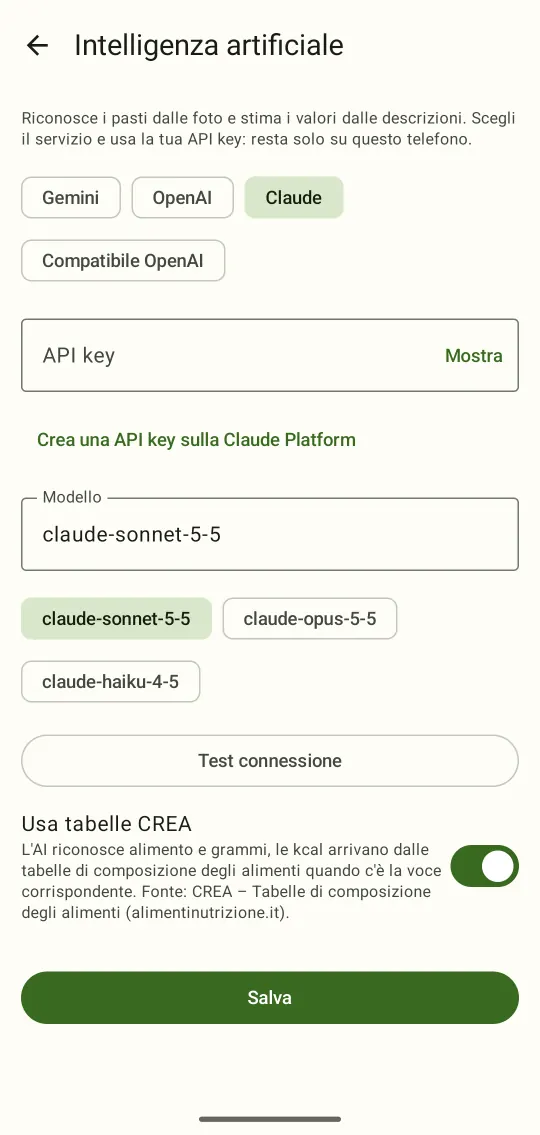
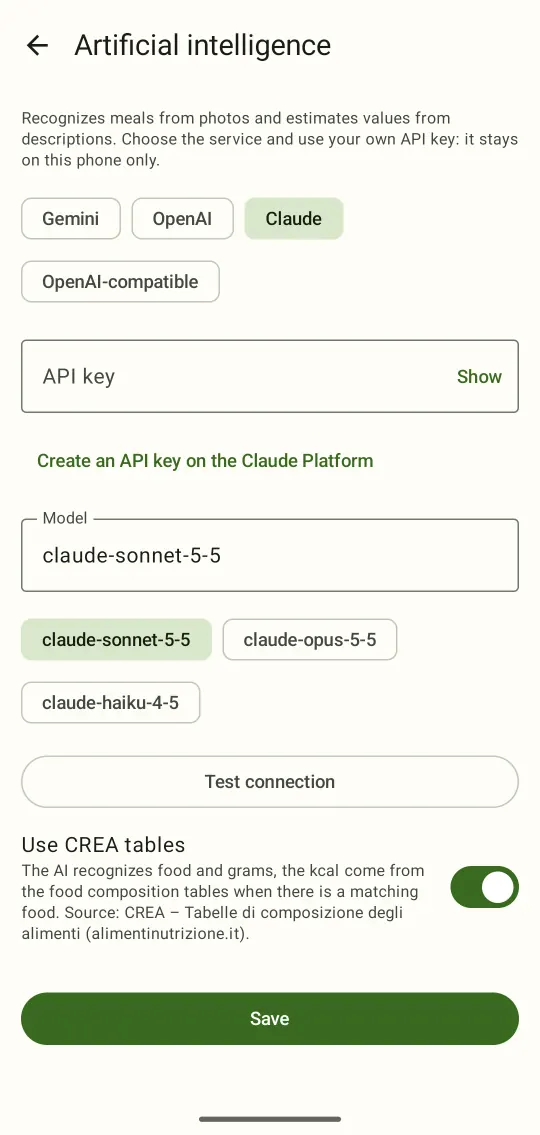
Nella pagina Impostazioni → Intelligenza artificiale scegli chi analizza foto e descrizioni: Gemini, OpenAI, Claude oppure un altro servizio compatibile con l'API di OpenAI, come OpenRouter o Mistral, indicandone l'indirizzo. Per ognuno incolli la tua chiave API e scegli il modello; se cambi AI e poi torni indietro, ritrovi chiave e modello di prima. Se l'AI non risponde, "Cambia modello" ti porta direttamente qui.
Gemini ha una chiave gratuita; OpenAI e Claude si pagano a consumo con il tuo account. Le chiavi restano solo sul telefono e non finiscono nel backup.
Choose your AI
On the Settings → Artificial intelligence page you choose who analyses photos and descriptions: Gemini, OpenAI, Claude or another service compatible with the OpenAI API, such as OpenRouter or Mistral, by entering its address. For each one you paste your own API key and pick the model; if you switch AI and then go back, you find the same key and model. If the AI doesn't answer, "Change model" brings you straight here.
Gemini has a free key; OpenAI and Claude are paid per use with your own account. The keys stay on your phone only and are not included in the backup.
Codice a barre
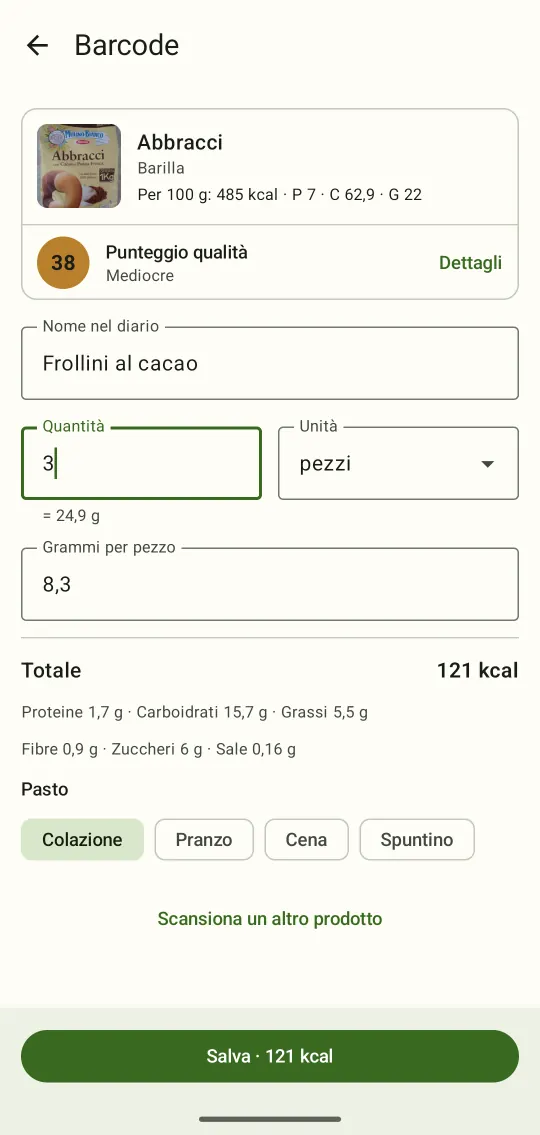
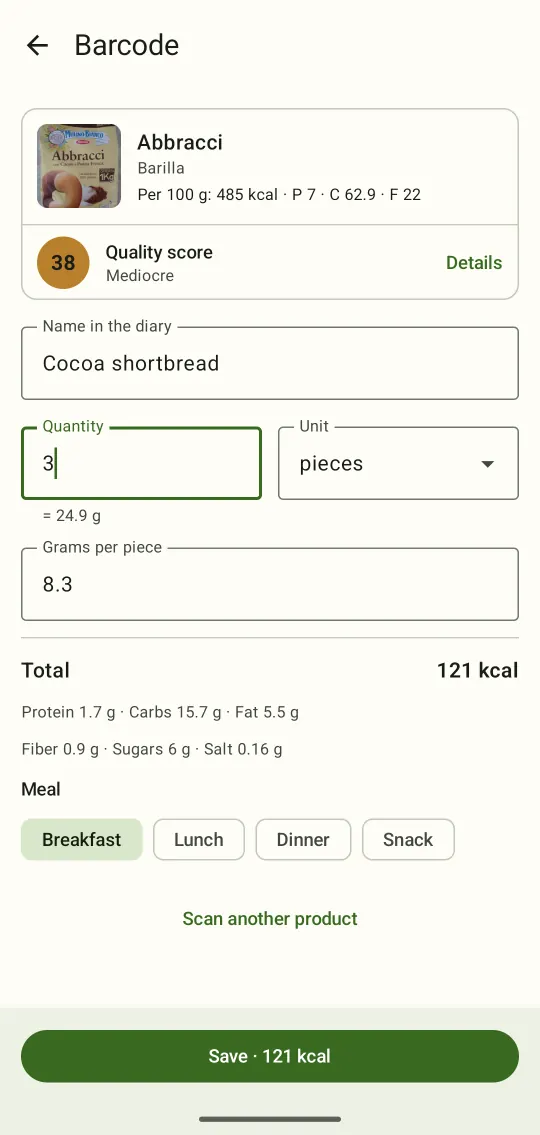
Scansioni la confezione e i valori nutrizionali arrivano da Open Food Facts. La quantità si dà in grammi, ml o pezzi (3 biscotti invece di 25 g). Un prodotto già scansionato si trova anche senza connessione.
Barcode
Scan the package and the nutrition facts come from Open Food Facts. You give the amount in grams, ml or pieces (3 biscuits instead of 25 g). A product you have already scanned works offline too.
Punteggio qualità
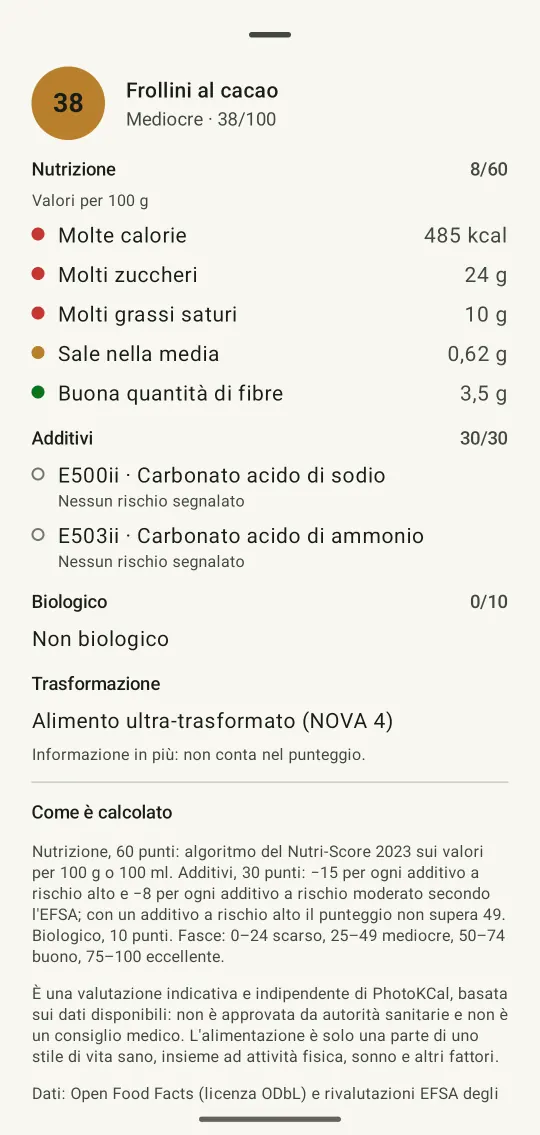
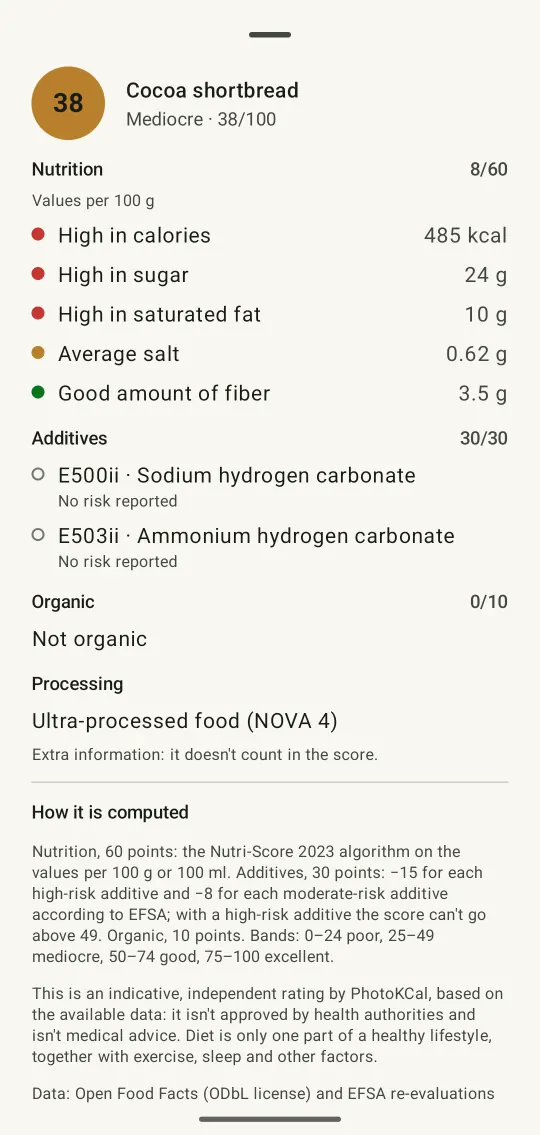
Ogni prodotto scansionato ha un voto da 0 a 100: scarso, mediocre, buono o eccellente. Contano la qualità nutrizionale (60 punti, con l'algoritmo del Nutri-Score), gli additivi che secondo l'EFSA rischiano di superare la dose giornaliera ammissibile (30 punti) e il biologico (10 punti). Tocca il voto per vedere pregi e difetti, additivi e fonti; in Oggi trovi anche la qualità media dei prodotti confezionati della giornata. È una valutazione indicativa, basata sui dati di Open Food Facts, non un consiglio medico.
Quality score
Every scanned product gets a score from 0 to 100: poor, mediocre, good or excellent. It counts nutritional quality (60 points, with the Nutri-Score algorithm), additives that according to EFSA risk exceeding the acceptable daily intake (30 points) and organic (10 points). Tap the score to see strengths and weaknesses, additives and sources; in Today you also find the day's average quality of packaged products. It's an indicative rating, based on Open Food Facts data, not medical advice.
A mano, recenti e preferiti
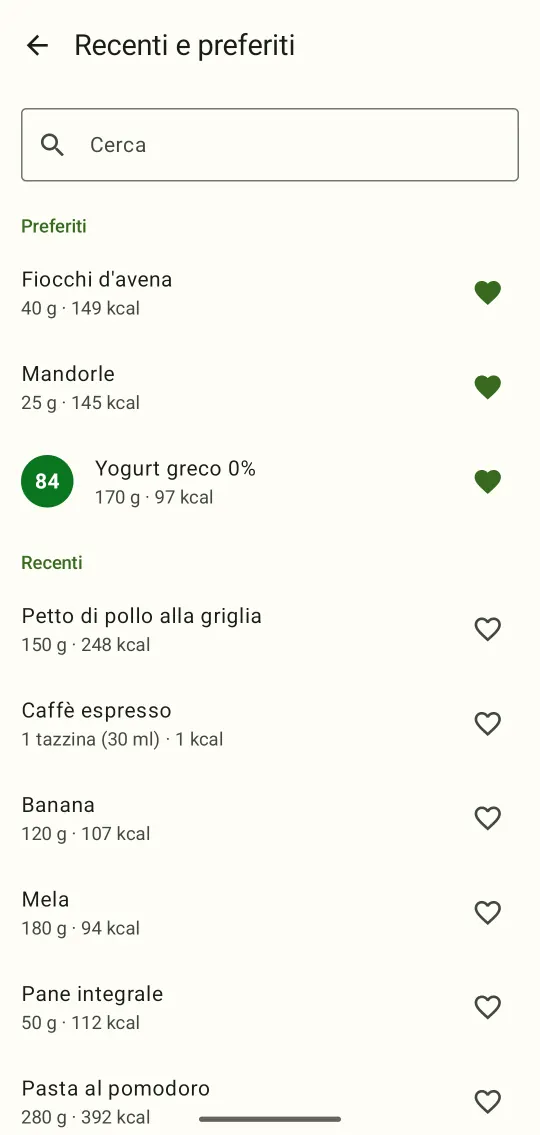
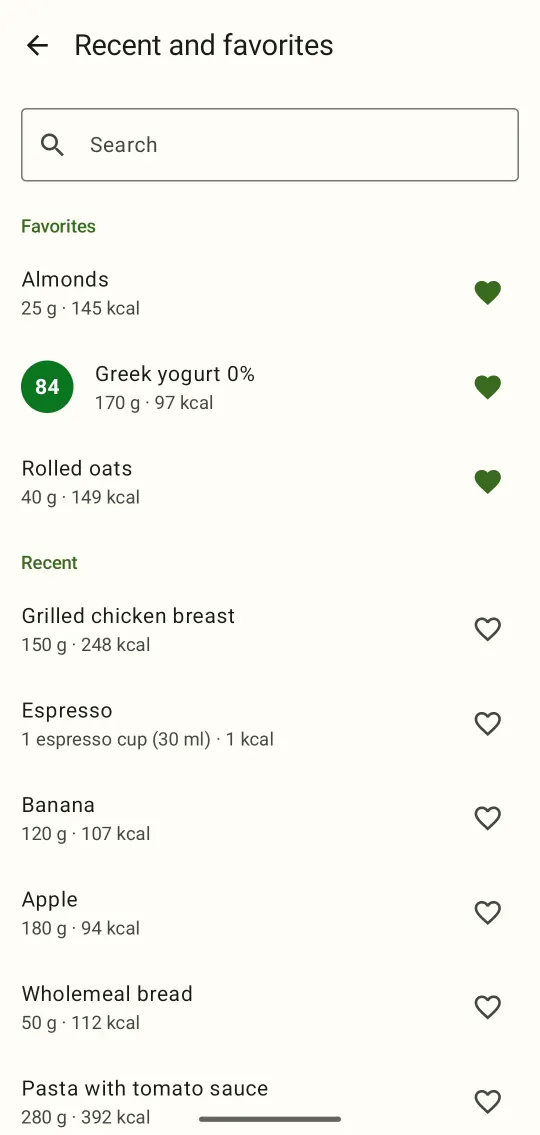
Scrivi nome e quantità, anche in tazzine, tazze o bicchieri per le bevande, e lascia che l'AI stimi calorie e macro, oppure scrivili tu. Gli alimenti già usati si riaggiungono con un tocco da "Recenti" e il cuore li tiene tra i preferiti. Una voce, un pasto o un giorno intero si copiano in un altro giorno.
By hand, recents and favourites
Type the name and the amount, even in espresso cups, cups or glasses for drinks, and let the AI estimate calories and macros, or type them yourself. Foods you have used come back with one tap from "Recents", and the heart keeps them among your favourites. An item, a meal or a whole day can be copied to another day.
Oggi e obiettivi
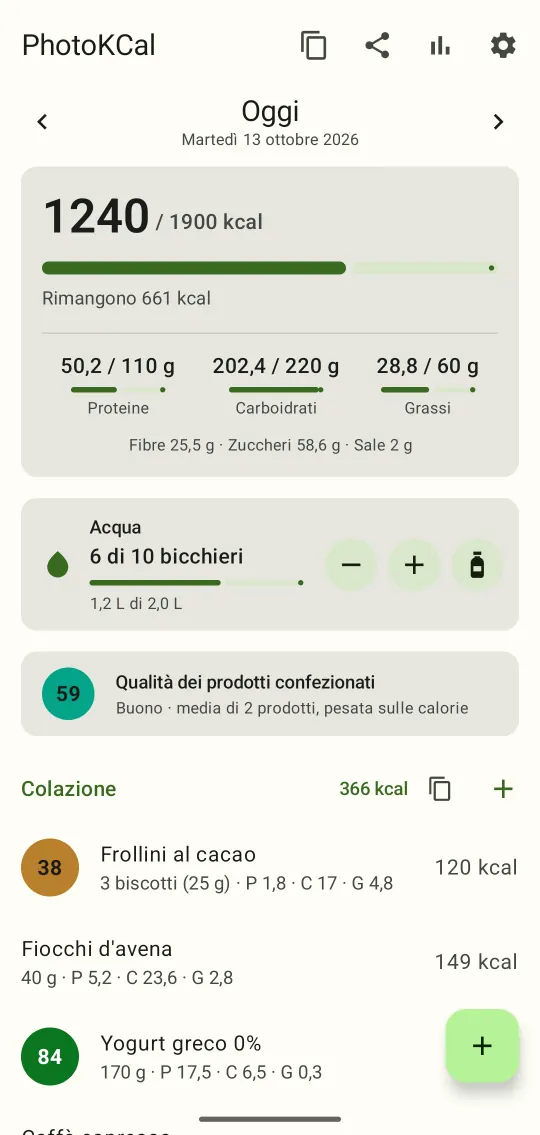
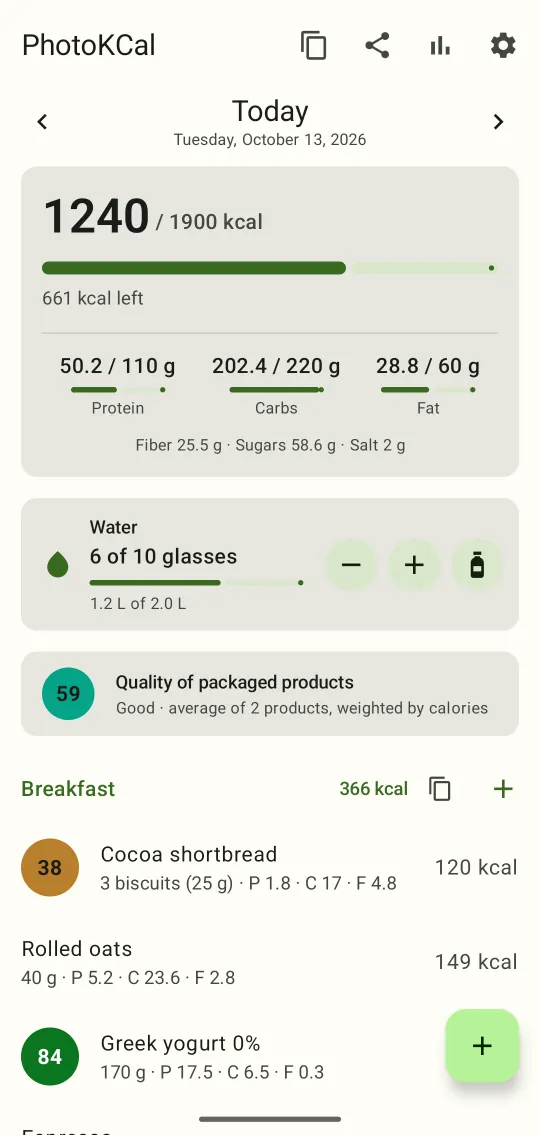
La schermata Oggi mostra le calorie rimaste, proteine, carboidrati e grassi, e il totale di fibre, zuccheri e sale. Colazione, pranzo, cena e spuntino sono sempre in elenco: il + accanto a ognuno aggiunge un alimento direttamente lì, con foto, descrizione, codice a barre, recenti o a mano. Dal tuo profilo l'app stima il fabbisogno e propone gli obiettivi, che puoi anche scrivere a mano (per esempio quelli del medico).
Today and goals
The Today screen shows the calories left, protein, carbs and fat, and the total of fibre, sugars and salt. Breakfast, lunch, dinner and snack are always listed: the + next to each one adds a food right there, by photo, description, barcode, recents or by hand. From your profile the app estimates your needs and suggests goals, which you can also type by hand (for example the ones from your doctor).
La tua borraccia
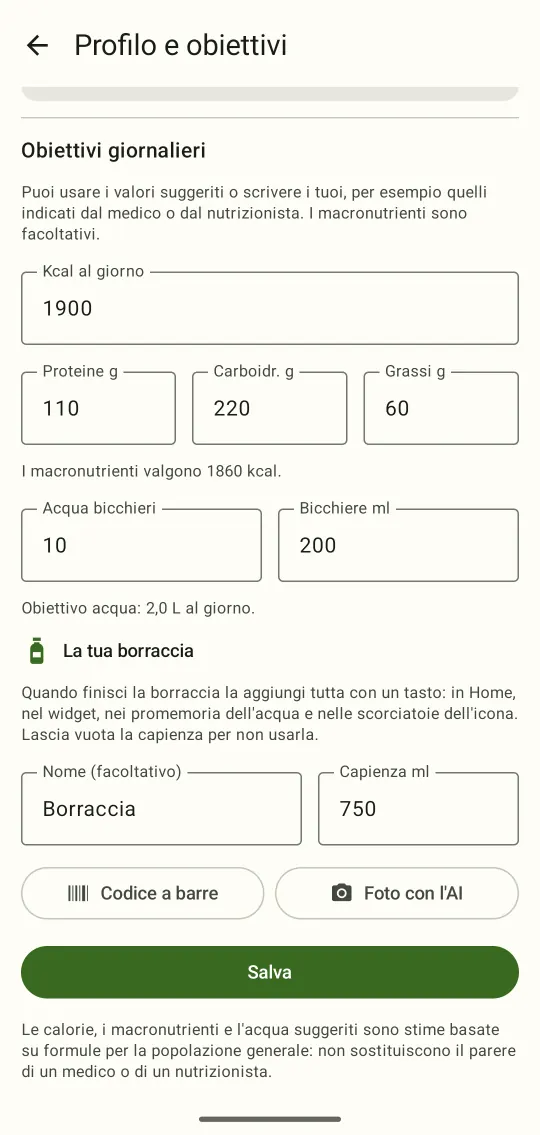
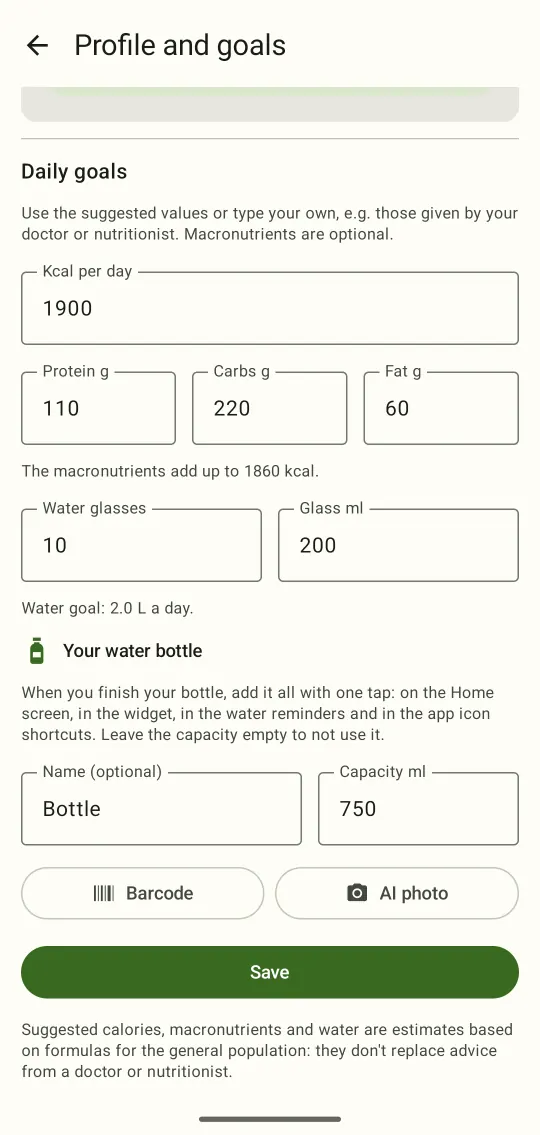
In Profilo e obiettivi scrivi quanto tiene la tua borraccia, oppure inquadra il codice a barre della bottiglia o falle una foto e lascia che l'AI ne riconosca la capienza. Quando la finisci, un tasto la aggiunge tutta: in Oggi la borraccia si inclina e versa l'acqua nella barra, e se raggiungi l'obiettivo c'è un piccolo festeggiamento. Premuta per sbaglio? Tocca Annulla. Lo stesso tasto c'è nel widget, nei promemoria dell'acqua e tenendo premuta l'icona dell'app.
Your water bottle
In Profile and goals type how much your bottle holds, or scan its barcode or take a photo and let the AI recognise its capacity. When you finish it, one tap adds it all: on Today the bottle tilts and pours the water into the bar, and reaching your goal gets a small celebration. Tapped by mistake? Tap Undo. The same button is in the widget, in the water reminders and on a long press of the app icon.
Acqua, peso e storico
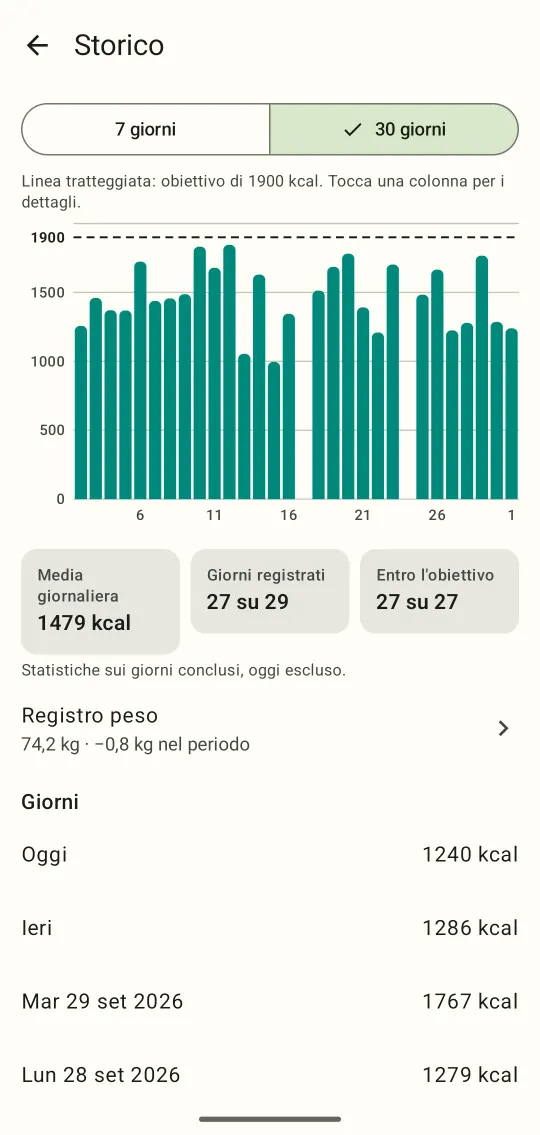
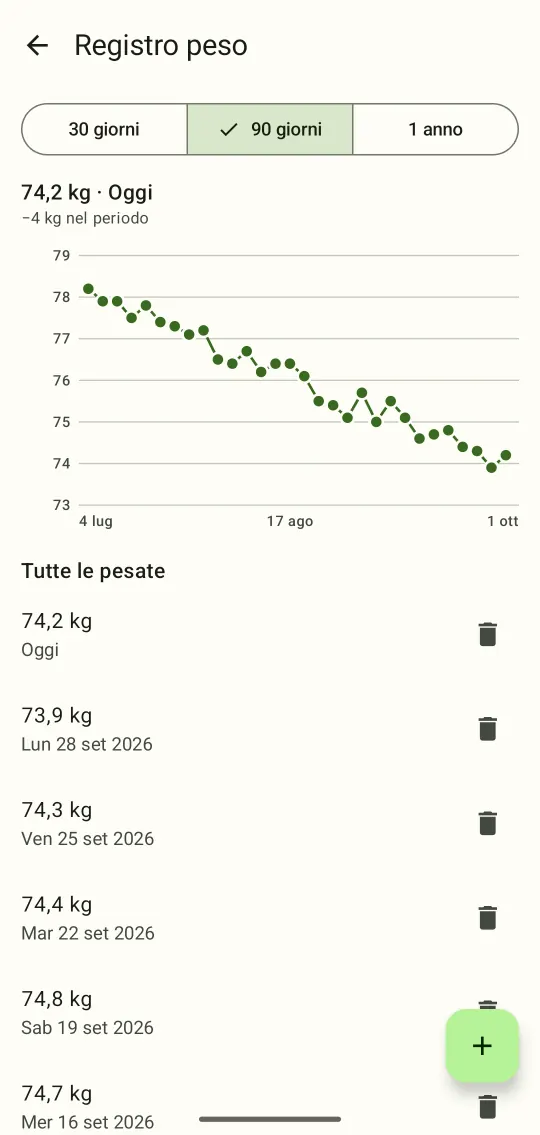
Un contatore dei bicchieri d'acqua con un obiettivo suggerito dal profilo, un registro del peso con il grafico a 30, 90 e 365 giorni e lo storico delle calorie a 7 e 30 giorni.
Water, weight and history
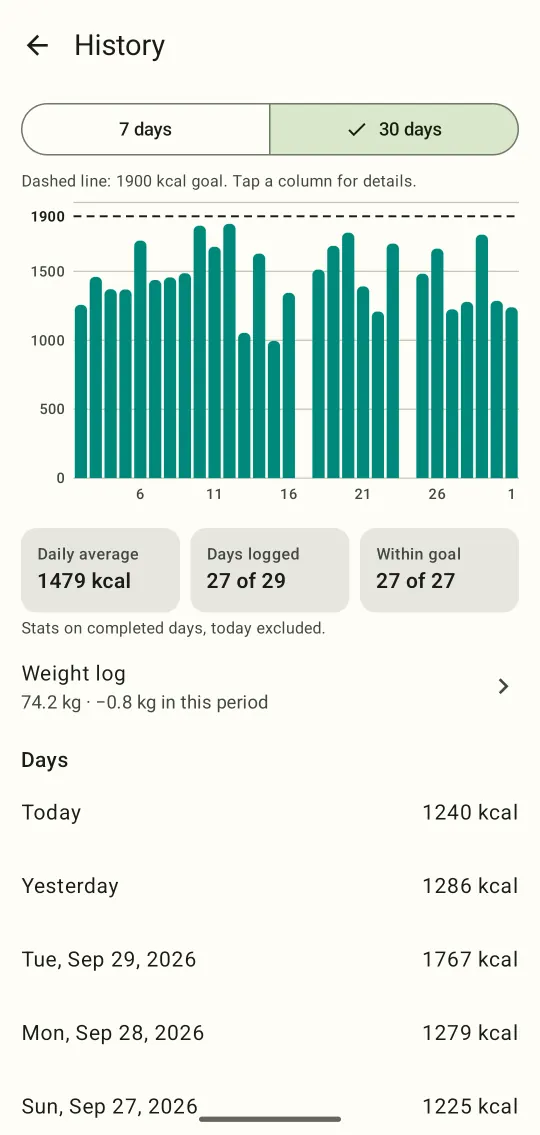
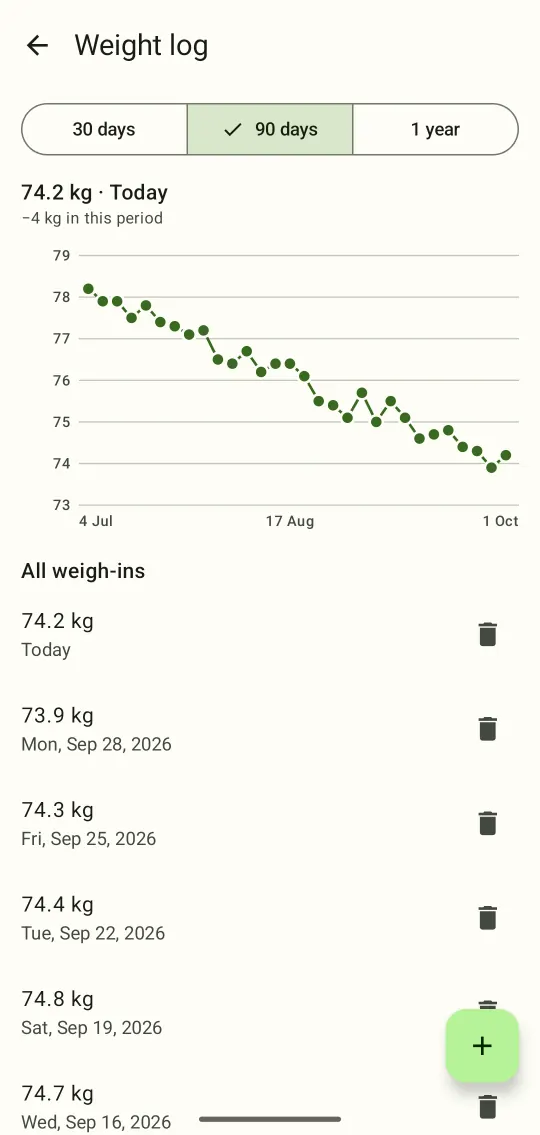
A water glass counter with a goal suggested by your profile, a weight log with a 30, 90 and 365 day chart, and the calorie history over 7 and 30 days.
Widget, scorciatoie e promemoria
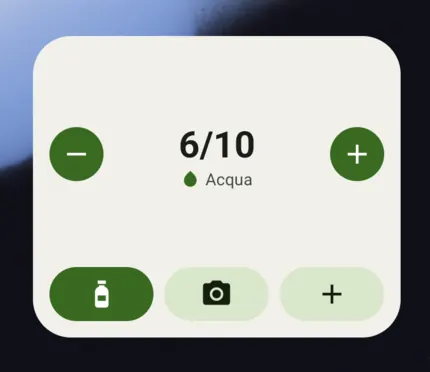
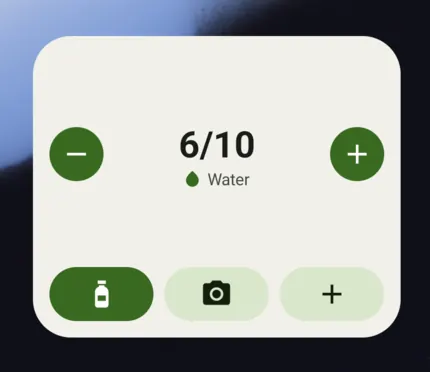
Il widget sulla home mostra i bicchieri di oggi, aggiunge la borraccia e apre la fotocamera o l'inserimento a mano. Tenendo premuta l'icona aggiungi un bicchiere o la borraccia senza aprire l'app. I promemoria dei pasti e dell'acqua arrivano solo se non hai ancora registrato niente; quello "Nuova versione" ti avvisa una volta quando esce un aggiornamento. Ogni tanto arriva anche una notifica con le novità di PhotoKCal, che puoi spegnere.
Widget, shortcuts and reminders
The home screen widget shows today's glasses, adds your bottle and opens the camera or the manual entry. Long-press the icon to add a glass or your bottle without opening the app. Meal and water reminders only come when you haven't logged anything yet; the "New version" one tells you once when an update comes out. Now and then a notification with PhotoKCal news comes too, and you can turn it off.
Salute di Android
Collegando Health Connect vedi passi e calorie bruciate in Oggi, PhotoKCal scrive peso e acqua e, se vuoi, aggiunge le calorie bruciate all'obiettivo del giorno.
Android Health
Connect Health Connect to see steps and burned calories in Today; PhotoKCal writes weight and water and, if you want, adds the burned calories to the goal of the day.
Condivisione
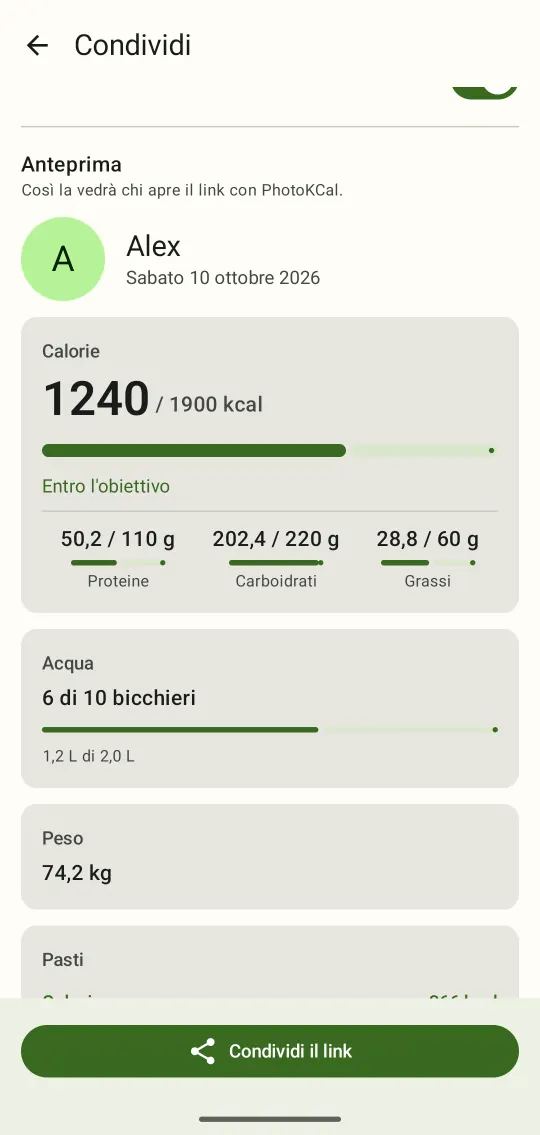
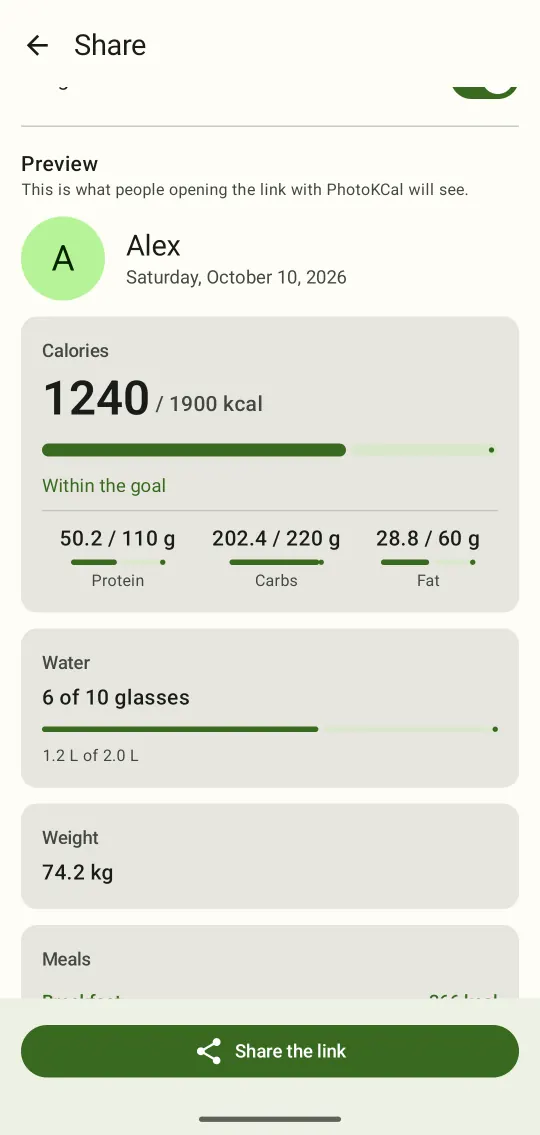
Condividi un giorno o una settimana con un link, scegliendo cosa nascondere. Chi lo apre con PhotoKCal vede la giornata in sola lettura, senza che finisca nel suo diario.
Sharing
Share a day or a week with a link, choosing what to hide. Whoever opens it with PhotoKCal sees the day read only, without it ending up in their diary.
I tuoi dati restano sul telefono
Nessun account: il diario è salvato solo sul telefono. Dall'app escono solo le foto e i testi che chiedi di analizzare (all'AI che hai scelto, con la tua chiave), i codici a barre (a Open Food Facts) e il controllo degli aggiornamenti (su GitHub). Statistiche d'uso e report degli errori partono spenti e vengono inviati solo se li consenti, senza i tuoi dati sulla salute: i dettagli sono nell'informativa sulla privacy. In Impostazioni → Backup e dati esporti tutto in un file di backup, o il diario in CSV per Excel.
Your data stay on your phone
No account: the diary is stored on the phone only. The only things that leave the app are the photos and texts you ask to analyse (to the AI you chose, with your key), the barcodes (to Open Food Facts) and the update check (on GitHub). Usage statistics and error reports start off and are sent only if you allow them, without your health data: the details are in the privacy policy. In Settings → Backup and data you export everything to a backup file, or the diary to CSV for Excel.
Installazione e aggiornamenti
PhotoKCal non è sul Play Store: si scarica l'APK da questo sito. Poi l'app controlla da sola le nuove versioni, ti mostra le novità e si aggiorna con un tocco. È in italiano e in inglese, con temi chiaro, scuro e viola.
Install and updates
PhotoKCal isn't on the Play Store: you download the APK from this site. Then the app checks for new versions by itself, shows you what's new and updates with one tap. It's in Italian and English, with light, dark and purple themes.
Il codice è pubblico suThe source code is public on GitHub.